

Choosing the wrong WordPress theme can sink your website before it even launches. This WordPress theme checklist helps business owners, bloggers, and web developers avoid costly mistakes by evaluating themes before purchase.
A beautiful design means nothing if your site loads slowly, ranks poorly in search results, or breaks on mobile devices. Smart theme buyers dig deeper than surface aesthetics to examine what really matters for long-term success.
This theme buying guide walks you through 12 critical checkpoints that separate winners from disasters. You’ll learn how to test speed performance and identify themes that drag down your site’s loading times. We’ll also cover how to spot SEO friendly themes that give you a head start with search engines, plus red flags that signal poor developer support quality.
Skip these steps, and you might end up rebuilding your entire site in six months. Follow this website theme evaluation process, and you’ll choose a theme that grows with your business and keeps visitors happy.
Speed Performance Evaluation
Page Load Time Testing Tools
Testing your theme’s speed performance starts with reliable measurement tools. GTmetrix provides detailed insights into loading times, while Google PageSpeed Insights offers actionable recommendations for improvement. Pingdom delivers comprehensive waterfall charts showing exactly where bottlenecks occur. WebPageTest allows advanced testing from multiple global locations. These tools reveal whether your chosen theme meets modern speed standards, helping you avoid slow-loading themes that hurt user experience and search rankings.
Core Web Vitals Assessment
Google’s Core Web Vitals measure real user experience through three key metrics: Largest Contentful Paint (LCP), First Input Delay (FID), and Cumulative Layout Shift (CLS). Your theme should consistently score “Good” ratings across all three metrics. LCP should load within 2.5 seconds, FID must respond under 100 milliseconds, and CLS should maintain a score below 0.1. Themes failing these benchmarks will negatively impact your search rankings and user satisfaction.
Mobile Speed Optimization
Mobile performance testing reveals how your theme handles smartphone and tablet traffic. Check loading speeds on 3G connections using Chrome DevTools’ network throttling feature. Test across different device types and screen sizes to ensure consistent performance. Look for themes that prioritize mobile-first design principles, implement lazy loading for images, and minimize render-blocking resources. Poor mobile speed directly affects bounce rates and conversion rates on mobile devices.
Image and Media Compression Features
Effective themes include built-in image optimization and compression capabilities. Look for automatic WebP format support, which reduces image file sizes by 25-50% compared to JPEG. Check if the theme supports lazy loading for images and videos, loading media only when users scroll to them. Examine whether the theme includes responsive image features that serve appropriately sized images based on device screen resolution. These compression features significantly impact overall page loading performance and bandwidth usage.
SEO Foundation Analysis

Clean Code Structure and HTML Validation
Your theme’s HTML foundation directly impacts search engine crawling and indexing. Well-structured code with semantic HTML elements helps search engines understand your content hierarchy and meaning. Validate your theme’s markup using W3C validators to catch errors that could hurt your SEO rankings. Themes with clean, standards-compliant code load faster and provide better accessibility, both ranking factors Google considers.
Schema Markup Implementation
Modern SEO friendly themes should include built-in schema markup or easy integration options. Schema markup helps search engines display rich snippets in search results, improving click-through rates and visibility. Check if your potential theme supports structured data for articles, reviews, products, and local business information. Themes without schema support require manual implementation, adding complexity to your website theme evaluation process.
Meta Tags and Heading Structure Support
Proper meta tag management and heading hierarchy are essential SEO elements your theme must handle correctly. Look for themes that automatically generate meta descriptions, support custom title tags, and maintain logical H1-H6 heading structures. The theme should allow easy customization of meta tags without coding knowledge. Poor heading structure confuses search engines about your content’s importance and organization, directly impacting your WordPress theme checklist priorities.
Mobile Responsiveness Testing

Cross-Device Display Testing
Test your chosen theme across multiple devices before committing to purchase. Load the demo on smartphones, tablets, laptops, and desktop computers to verify consistent visual presentation. Check how content adapts to different screen sizes, ensuring text remains readable and images scale appropriately. Pay attention to layout shifts, broken elements, or overlapping content that could frustrate mobile users.
Touch-Friendly Navigation Elements
Mobile responsive themes require intuitive touch navigation that works seamlessly with fingers rather than mouse cursors. Examine menu buttons, dropdown elements, and clickable areas to confirm they’re large enough for easy tapping. Test swipe gestures, hamburger menus, and accordion sections to verify smooth interactions. Poor touch navigation destroys user experience and increases bounce rates significantly.
Mobile-First Design Principles
Quality WordPress themes follow mobile-first design principles, prioritizing smartphone users over desktop visitors. Evaluate how the theme handles content hierarchy on small screens, ensuring critical information appears prominently without excessive scrolling. Check loading speeds on mobile networks and verify that essential features remain accessible. Themes built with mobile-first approaches typically perform better across all devices.
Responsive Image Handling
Images often cause mobile performance issues when themes lack proper responsive handling. Examine how the theme serves different image sizes based on device capabilities and screen resolutions. Look for lazy loading features, automatic image compression, and srcset implementation that delivers optimized visuals. Poor image handling creates slow loading times and excessive data usage that mobile users particularly dislike.
Developer Support Quality

Documentation Completeness and Clarity
Check if the theme developer provides comprehensive documentation that covers installation, customization, and troubleshooting. Quality themes include step-by-step guides, code examples, and visual walkthroughs. Look for searchable documentation with updated screenshots and clear explanations of features. Poor documentation often signals inadequate theme support quality and can lead to costly development delays.
Response Time for Technical Issues
Evaluate how quickly developers respond to support tickets and user questions. Professional theme authors typically respond within 24-48 hours during business days. Test their responsiveness by asking a pre-purchase question about customization options or compatibility. Slow response times indicate you might struggle getting help when issues arise, making this a critical factor in your WordPress theme checklist.
Community Forum Activity
Active community forums demonstrate healthy user engagement and ongoing support. Review recent posts to see if developers actively participate in discussions and help users solve problems. Look for regular activity, helpful responses from both developers and community members, and solutions to common issues. Dead or inactive forums suggest the theme lacks proper support infrastructure.
Regular Updates and Bug Fixes
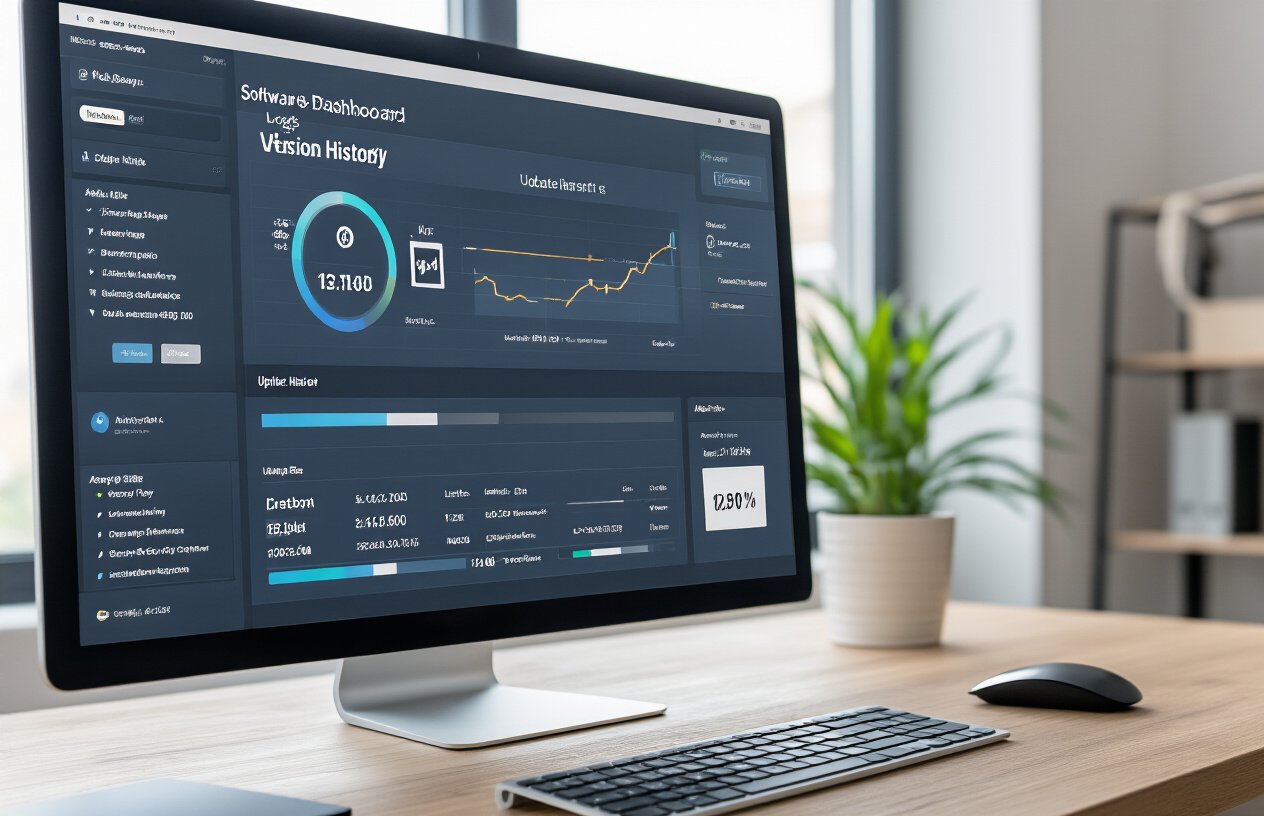
Examine the theme’s update history to verify consistent maintenance and security patches. Quality themes receive updates every 2-3 months addressing WordPress compatibility, security vulnerabilities, and bug fixes. Check changelog entries for meaningful improvements rather than cosmetic changes. Themes without regular updates pose security risks and may break when WordPress releases new versions, affecting your website theme evaluation.
Code Quality and Security

W3C Standards Compliance
Clean, valid code forms the backbone of any reliable WordPress theme. Check if your potential theme passes W3C markup validation tests – this ensures cross-browser compatibility and reduces rendering issues. Themes built with semantic HTML5 and proper CSS structure load faster and rank better in search engines. Poor coding standards often lead to display problems, slower performance, and difficulty troubleshooting issues later.
Security Vulnerability Assessment
WordPress theme security directly impacts your website’s protection against malicious attacks. Review the theme’s code for common vulnerabilities like SQL injection points, cross-site scripting (XSS) flaws, and insecure file handling. Check if the developer follows WordPress security best practices, including proper data sanitization and nonce verification. Themes with security holes can compromise your entire website, making this evaluation critical for long-term site safety.
Plugin Compatibility Testing
Your chosen theme should work seamlessly with popular WordPress plugins, especially those essential for your website’s functionality. Test compatibility with major plugins like WooCommerce, Yoast SEO, Contact Form 7, and caching solutions before purchasing. Plugin conflicts can break your site’s layout, cause functionality issues, or create security vulnerabilities. A well-coded theme maintains compatibility across plugin updates and doesn’t interfere with standard WordPress functions.
Customization Flexibility
Design Customization Options
Modern WordPress themes should offer comprehensive theme customization options through built-in customizers, page builders, or theme options panels. Look for themes that provide visual editing capabilities, allowing you to modify layouts, headers, footers, and content sections without touching code. The best themes include drag-and-drop functionality, pre-built design elements, and intuitive controls that make customization accessible to users of all skill levels.
Layout Variation Availability
Quality themes come packed with multiple layout templates for different page types, including homepages, blog archives, single posts, and landing pages. Check for flexible grid systems, sidebar configurations, and header/footer variations that match your content strategy. The theme should offer both full-width and boxed layouts, various post formats, and the ability to create unique page structures that align with your brand identity and user experience goals.
Color Scheme and Typography Control
Professional themes provide extensive color palette management and typography controls that go beyond basic customization. Look for themes offering unlimited color options, gradient support, and the ability to create custom color schemes that maintain accessibility standards. Typography features should include Google Fonts integration, font pairing suggestions, custom font uploads, and granular control over font sizes, line heights, and spacing across different device breakpoints.
Widget and Plugin Integration
Seamless widget and plugin integration separates good themes from great ones. Verify that your chosen theme supports popular WordPress widgets, custom widget areas, and works flawlessly with essential plugins like contact forms, SEO tools, and e-commerce solutions. The theme should include its own custom widgets, support for Gutenberg blocks, and maintain compatibility with major page builders and marketing tools without breaking layouts or functionality.
Browser Compatibility Check
Cross-Browser Testing Results
Testing your potential WordPress theme across major browsers prevents costly surprises after launch. Run the theme through Chrome, Firefox, Safari, and Edge to check for layout inconsistencies, broken functionality, or visual glitches. Pay attention to how forms render, whether animations work smoothly, and if navigation menus display correctly. Document any issues you discover, as these problems will affect your visitors’ experience and potentially harm your search rankings.
Legacy Browser Support
While most users browse with modern browsers, some visitors still use older versions that lack current web standards. Check if your theme gracefully handles Internet Explorer 11 or older mobile browsers without completely breaking. The theme doesn’t need perfect compatibility with ancient browsers, but core content should remain accessible. Smart themes include fallbacks for older browsers while delivering enhanced experiences to modern ones, ensuring website theme compatibility across different user scenarios.
JavaScript and CSS Compatibility
Modern themes rely heavily on JavaScript for interactive features and CSS for styling effects. Verify that the theme’s JavaScript functions work across different browser engines without throwing console errors. Test CSS animations, transitions, and grid layouts to ensure consistent rendering. Some browsers handle newer CSS properties differently, so check vendor prefixes and fallback styles. Themes with clean, well-structured code typically show better cross-browser performance and easier troubleshooting when compatibility issues arise during your website theme evaluation process.
Performance Under Load

Traffic Spike Handling
Your chosen theme needs to handle sudden visitor surges without crashing your site. Test how the theme performs during high-traffic periods by checking its resource usage and response times. Themes with bloated code or excessive HTTP requests will struggle when visitor numbers spike. Look for lightweight themes that maintain fast loading speeds even under pressure. A robust WordPress theme checklist should include stress testing to ensure your site stays online during viral moments or marketing campaigns.
Database Query Optimization
Poorly coded themes can overwhelm your database with unnecessary queries, slowing down your entire website. Check if the theme follows WordPress coding standards and uses efficient database calls. Themes that make multiple redundant queries for simple tasks will drag down performance as your content grows. Professional themes optimize database interactions by using proper caching mechanisms and limiting query frequency. This becomes critical as your site scales and handles more concurrent users.
Caching Compatibility
Your theme must work seamlessly with popular caching plugins like WP Rocket, W3 Total Cache, and WP Super Cache. Some themes break caching functionality through poor code structure or conflicting scripts. Test the theme with your preferred caching solution before purchasing to avoid performance bottlenecks. Caching-friendly themes follow WordPress best practices and don’t interfere with plugin optimization features. This compatibility directly impacts your website theme performance testing results and overall user experience.
CDN Integration Support
Modern themes should support Content Delivery Network integration without additional configuration headaches. Check if the theme properly handles CDN URLs for images, stylesheets, and scripts. Themes with hardcoded asset paths or improper resource loading can break CDN functionality, negating speed benefits. Quality themes automatically adapt to CDN setups and maintain fast global loading times. This feature becomes essential as your audience grows internationally and expects consistent performance regardless of their location.
Update and Maintenance History
Developer Track Record
Check how long the theme developer has been active in the WordPress community and their release history. Look for developers who consistently update their themes and respond to user feedback. A strong track record includes multiple successful themes, positive reviews, and active participation in WordPress forums. Avoid themes from developers with gaps in their update history or abandoned projects.
Regular Security Updates
Security patches are critical for protecting your WordPress site from vulnerabilities. Quality theme developers release security updates promptly when WordPress core updates are available. Review the theme’s changelog to see how quickly developers address security issues. Themes that haven’t received security updates in over six months pose significant risks to your website’s safety and should be avoided.
Feature Enhancement Frequency
Active themes receive new features and improvements regularly, not just bug fixes. Check release notes to see if developers add requested features, improve performance, and enhance user experience. Themes with quarterly or bi-annual feature updates demonstrate ongoing commitment. This WordPress theme checklist item ensures your investment stays current with web design trends and WordPress evolution.
License and Legal Considerations

Commercial Usage Rights
Before adding any theme to your WordPress theme checklist, verify the licensing terms for commercial projects. Most premium themes include commercial rights, but free themes often restrict business use. GPL-licensed themes offer complete freedom for commercial websites, while proprietary licenses may limit usage scope. Check if you can use the theme for client projects and whether additional licensing fees apply for multiple sites.
Redistribution Permissions
Understanding redistribution rules protects you from legal complications during website theme evaluation. GPL themes allow unlimited redistribution and modification, making them ideal for developers building multiple sites. Proprietary themes typically prohibit redistribution to maintain exclusivity. Some licenses permit redistribution only within your organization or to direct clients. Always review these terms when selecting themes for agency work or resale projects.
Third-Party Asset Licenses
Premium themes often bundle fonts, images, and plugins that carry separate licensing restrictions. Stock photos may require extended licenses for commercial use, while premium fonts might need individual purchases beyond the theme license. Icons and graphics could have attribution requirements that affect your website’s footer or credits page. Audit all included assets before launch to ensure compliance and avoid potential copyright issues that could impact your site’s legal standing.
Integration Capabilities

Popular Plugin Compatibility
Before committing to any WordPress theme, verify its compatibility with essential plugins your website needs. Popular themes should seamlessly work with major plugins like Yoast SEO, WooCommerce, Contact Form 7, and Elementor. Check the theme’s documentation or demo sites to confirm smooth integration with caching plugins, security solutions, and backup tools. Poor plugin compatibility often leads to broken functionality, layout issues, or site crashes. Always test critical plugins with the theme in a staging environment before making your final decision.
E-commerce Platform Support
E-commerce functionality requires robust theme support for WooCommerce and other shopping platforms. Examine how the theme handles product pages, shopping cart layouts, checkout processes, and payment gateway integration. Look for themes that include pre-built e-commerce templates, proper product image galleries, and mobile-optimized shopping experiences. Some themes offer enhanced WooCommerce features like quick view popups, wishlist functionality, and advanced filtering options. Verify that the theme maintains clean, professional appearance across all e-commerce pages while ensuring fast loading times for product catalogs.
Analytics and Tracking Integration
Modern themes should support Google Analytics, Google Tag Manager, and Facebook Pixel integration without requiring custom code modifications. Check if the theme includes built-in options for adding tracking codes or if you’ll need additional plugins for analytics setup. Some premium themes offer advanced tracking features like conversion tracking, event monitoring, and heat map compatibility. The theme should also support Google Search Console integration and provide clean HTML structure for accurate data collection. Proper analytics integration helps you monitor website performance and make data-driven decisions for your online presence.
Long-term Viability Assessment

Developer Reputation and Stability
Before committing to any WordPress theme, research the development team behind it. Established developers with consistent track records typically deliver better long-term support and regular updates. Check their portfolio, years in business, and customer feedback across multiple platforms. Reputable developers maintain themes actively, fix bugs promptly, and adapt to WordPress core updates. Avoid themes from developers with sparse portfolios or inconsistent update patterns, as these often become abandoned projects that leave your website vulnerable to security issues and compatibility problems.
User Base and Market Adoption
A theme’s popularity often reflects its reliability and quality. Themes with large, active user bases receive more community feedback, which drives improvements and bug fixes. Check download numbers, active installations, and user reviews on marketplaces like ThemeForest or WordPress.org. High adoption rates typically mean better documentation, more third-party plugins compatibility, and abundant online tutorials. However, balance popularity with your specific needs – sometimes niche themes offer specialized features that mass-market options lack. Look for themes with steady growth patterns rather than just high numbers.
Future Development Roadmap
Smart theme selection involves understanding where the theme is heading. Review the developer’s changelog to see update frequency and feature additions over time. Active themes receive regular updates that address WordPress core changes, security patches, and new web standards. Contact developers directly to ask about future plans, especially regarding upcoming WordPress versions or web technologies like Core Web Vitals. Themes with clear development roadmaps and regular communication about updates show commitment to long-term maintenance, ensuring your investment remains valuable as web standards evolve.

Choosing the right theme isn’t just about picking something that looks pretty. You need to check all these technical factors because they directly affect your website’s success. A slow theme will frustrate visitors and hurt your search rankings. Poor mobile design means you’ll lose customers who browse on their phones. And if the developer doesn’t provide good support or regular updates, you’ll be stuck when problems come up.
Take your time to test each theme thoroughly before making a decision. Check how fast it loads, see if it works well on mobile devices, and make sure it has the SEO features you need. Look at the developer’s track record and read reviews from other users. Your website is an investment, and the theme you choose is its foundation. Spending extra time upfront to evaluate these 12 areas will save you headaches later and help your site perform better in the long run.





FPHGOKejXCqHCKNgzWZXrtB
Линкбилдинг подразумевает наращивание ссылочной массы для вашего сайта.
Что такое линк:
Наличие внешних ссылок увеличивает доверие к вашему сайту среди пользователей.
Публикация уникального контента поможет привлечь внимание других ресурсов.
Использование нелегальных методов, таких как покупка ссылок, может навредить.
Hello !!
I came across a 149 helpful resource that I think you should check out.
This platform is packed with a lot of useful information that you might find valuable.
It has everything you could possibly need, so be sure to give it a visit!
https://varsitygaming.net/how-mobile-chess-games-are-revolutionizing-the-classic-board-game
Furthermore do not forget, folks, — you at all times can within the publication find responses to address the most the very tangled inquiries. Our team made an effort to present all information in an extremely understandable way.
преимущества франшизы магазина низких цен преимущества франшизы магазина низких цен.
http://www.google.lv/url?q=http://oneprice.shop
Hello friends!
I came across a 149 interesting platform that I think you should check out.
This site is packed with a lot of useful information that you might find valuable.
It has everything you could possibly need, so be sure to give it a visit!
https://meridiano.net/servicios/servicios/domina-el-diamante-estrategias-y-consejos-para-apostar-en-el-beisbol-202422217540
And remember not to neglect, everyone, which a person at all times are able to within the article discover responses to address the the very complicated inquiries. Our team tried to lay out all of the content using the most very accessible manner.